


Overview
Get up to a 99% match when importing your bank statement using RecXpress.
Now further enhanced to 'remember' monthly entries, RecXpress will generate a variety a variety of repetitive entries for you. Customize these entries each month until such until such time almost all entries are automatically generated by RecXpress.
RecXpress Default Templates takes your bank reconciliation to another level!
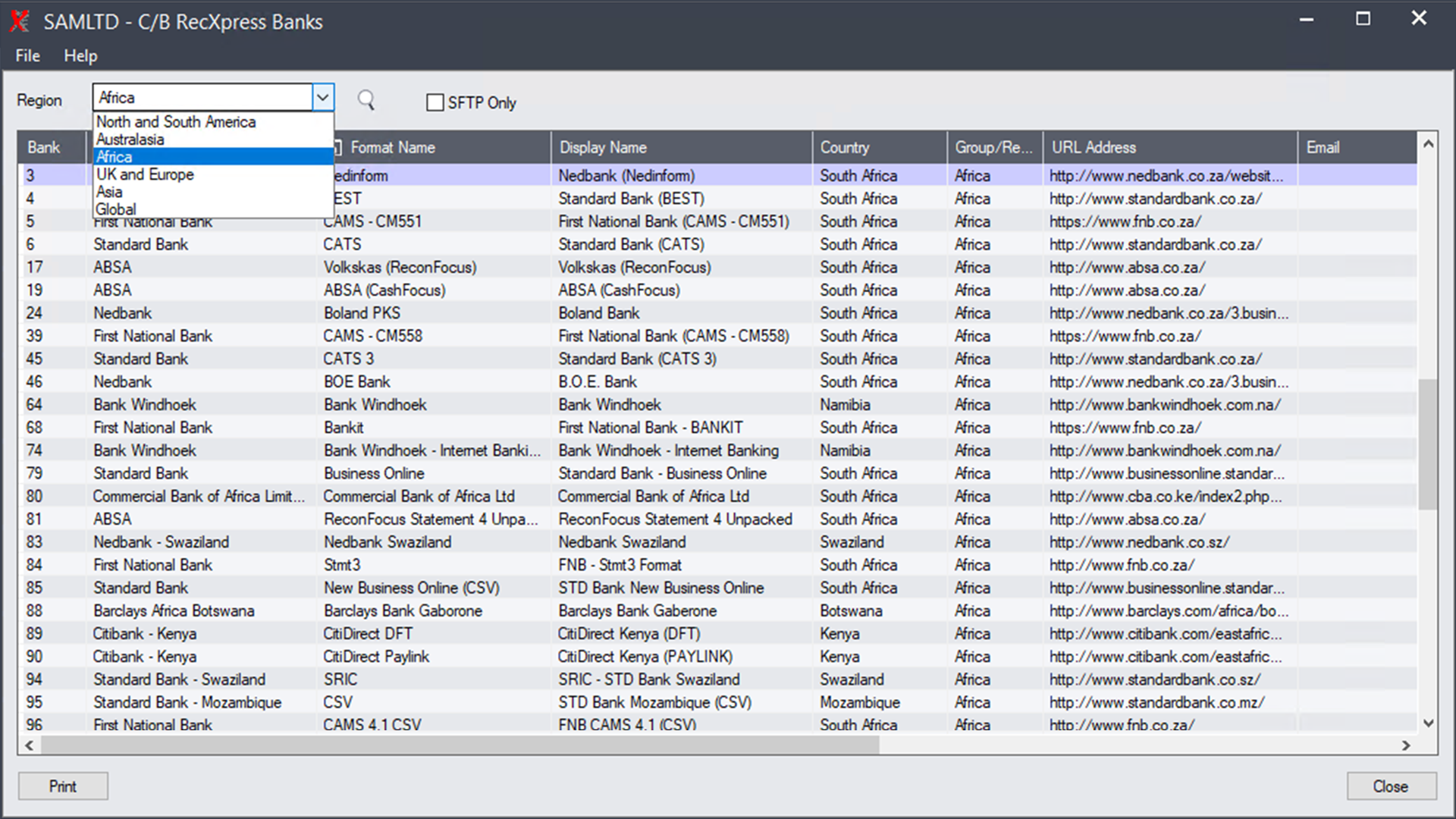
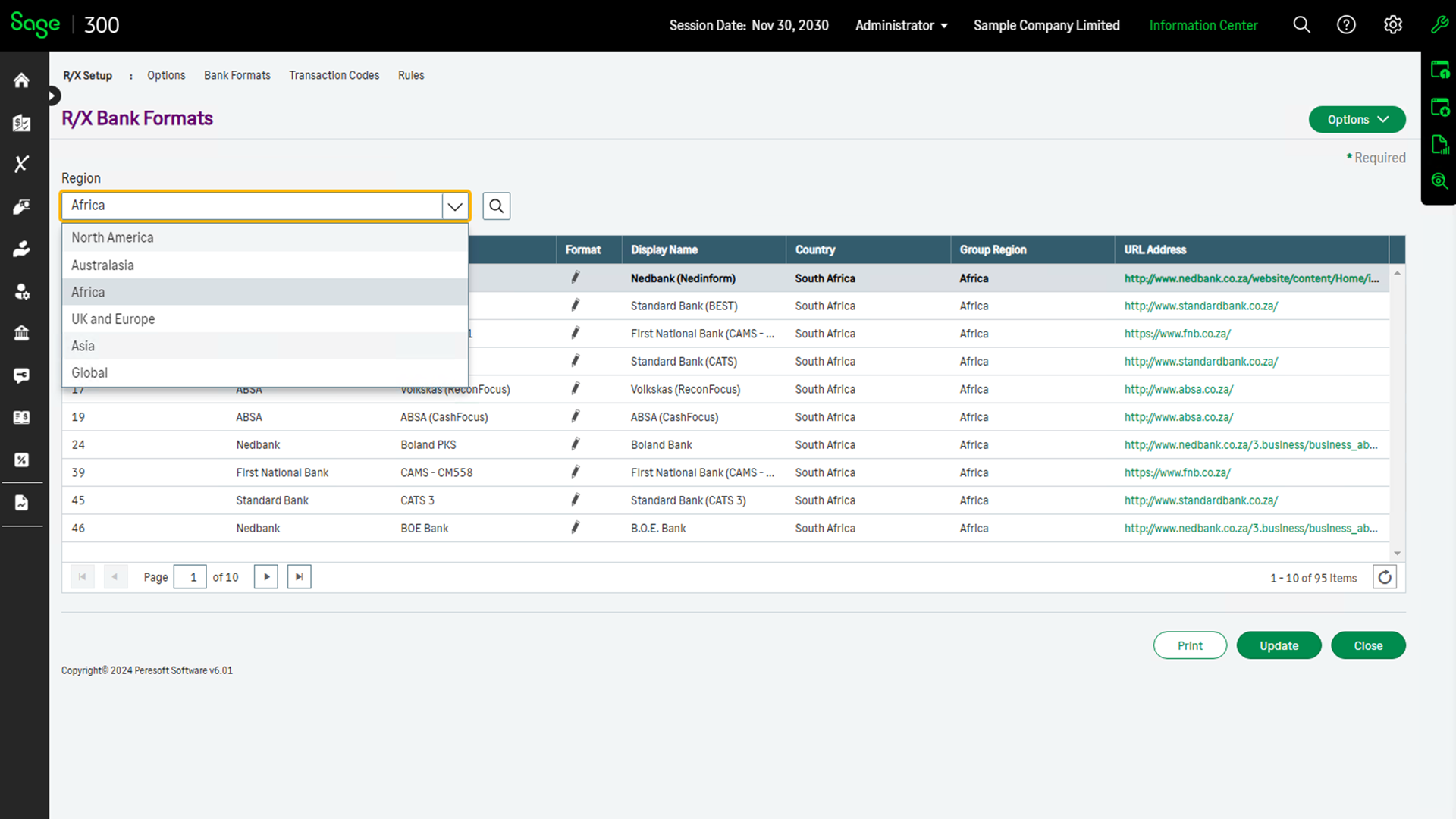
Get predefined formats for most major banks in your country. Check out the latest list of bank imports available. This list is increasing all the time as more and more banks take advantage of this new feature and make their interface formats available to Peresoft.
What you need to do to get your bank statement included on the list of formats available for RecXpress.
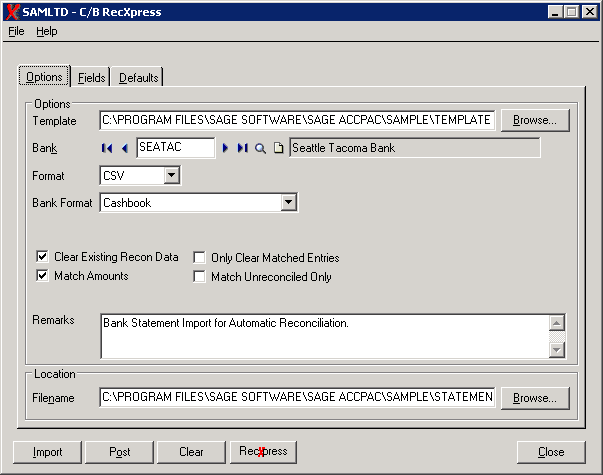
You can import your own format into RecXpress or you can choose from over 100 predefined formats already available.
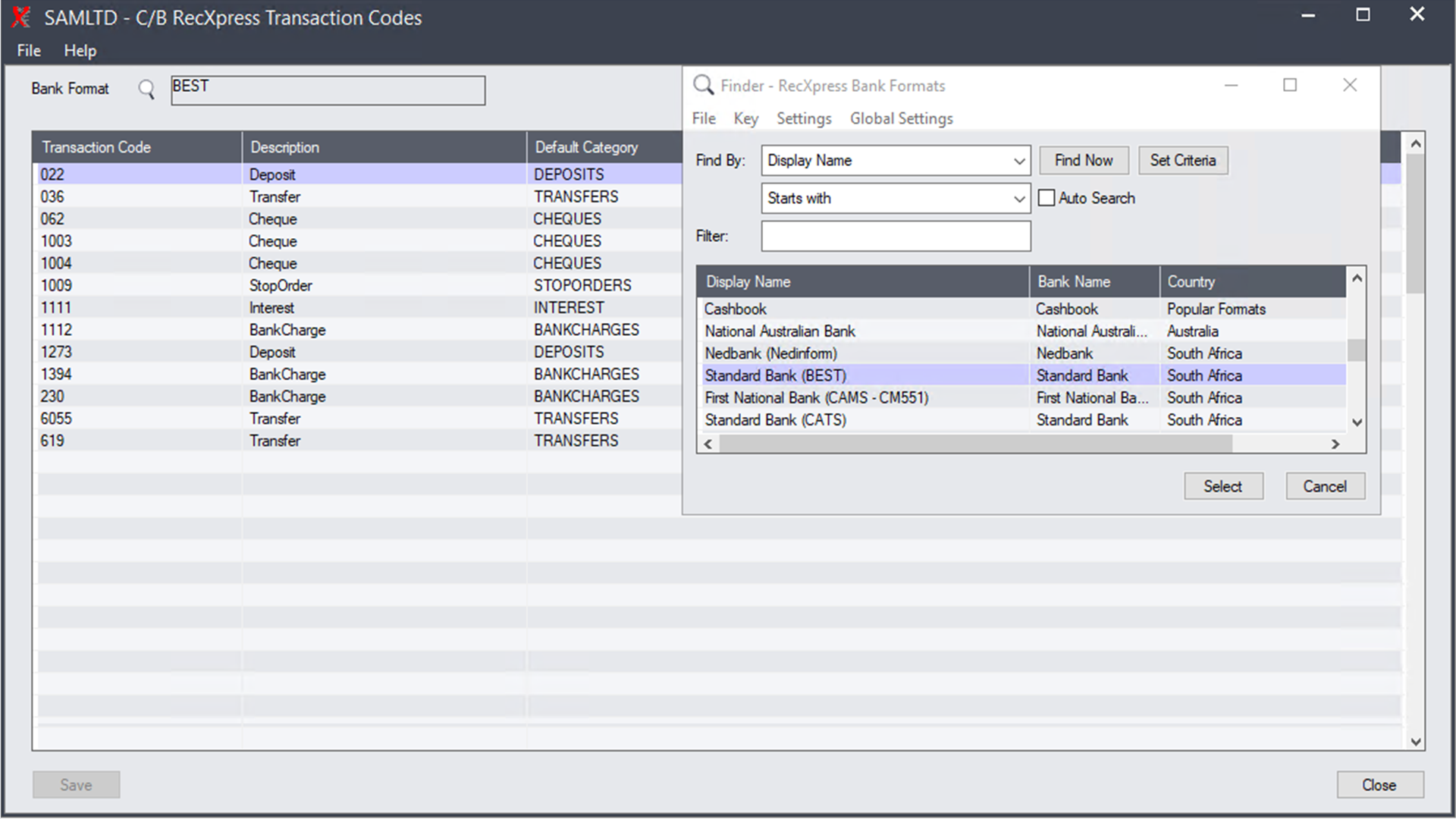
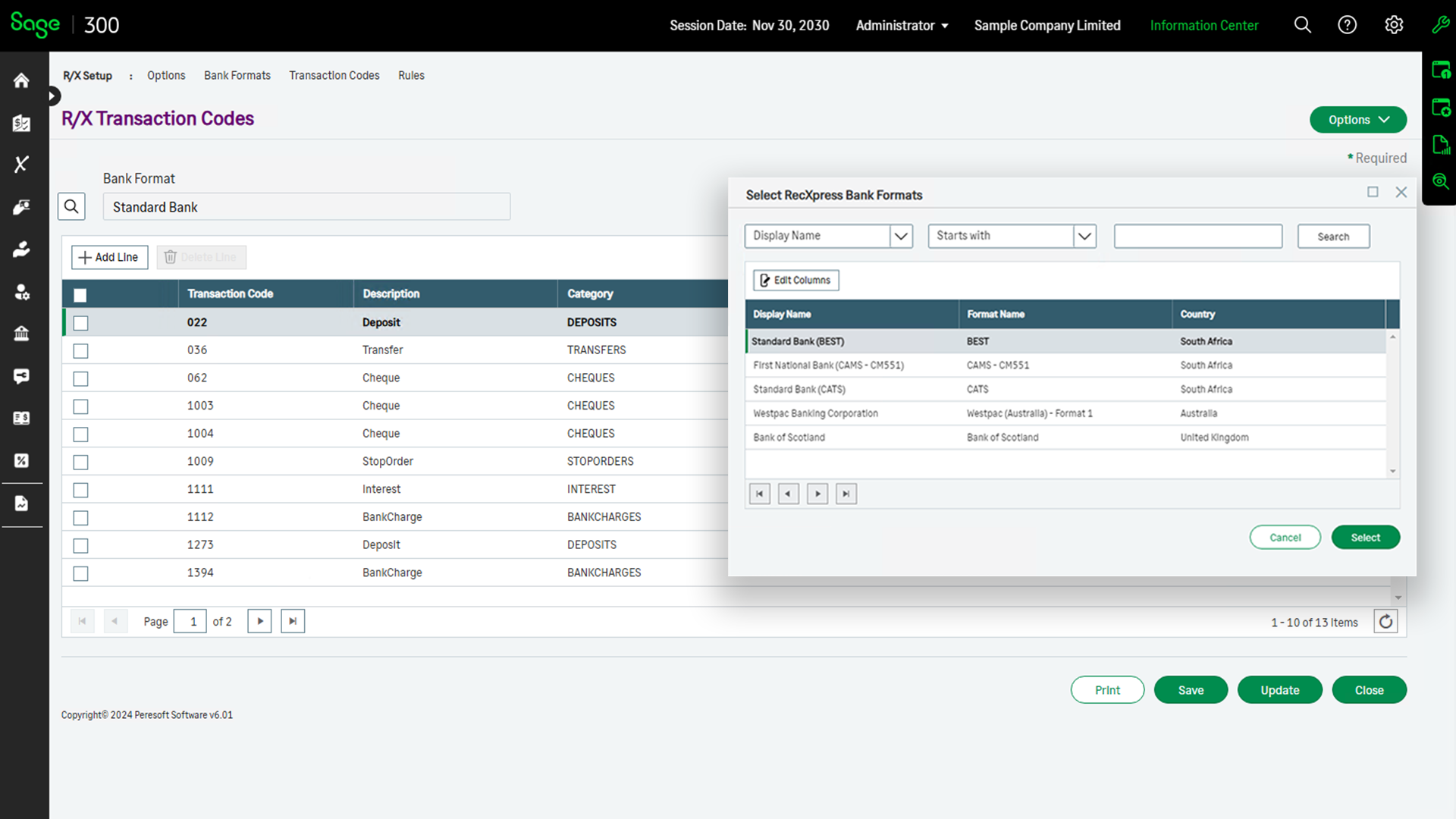
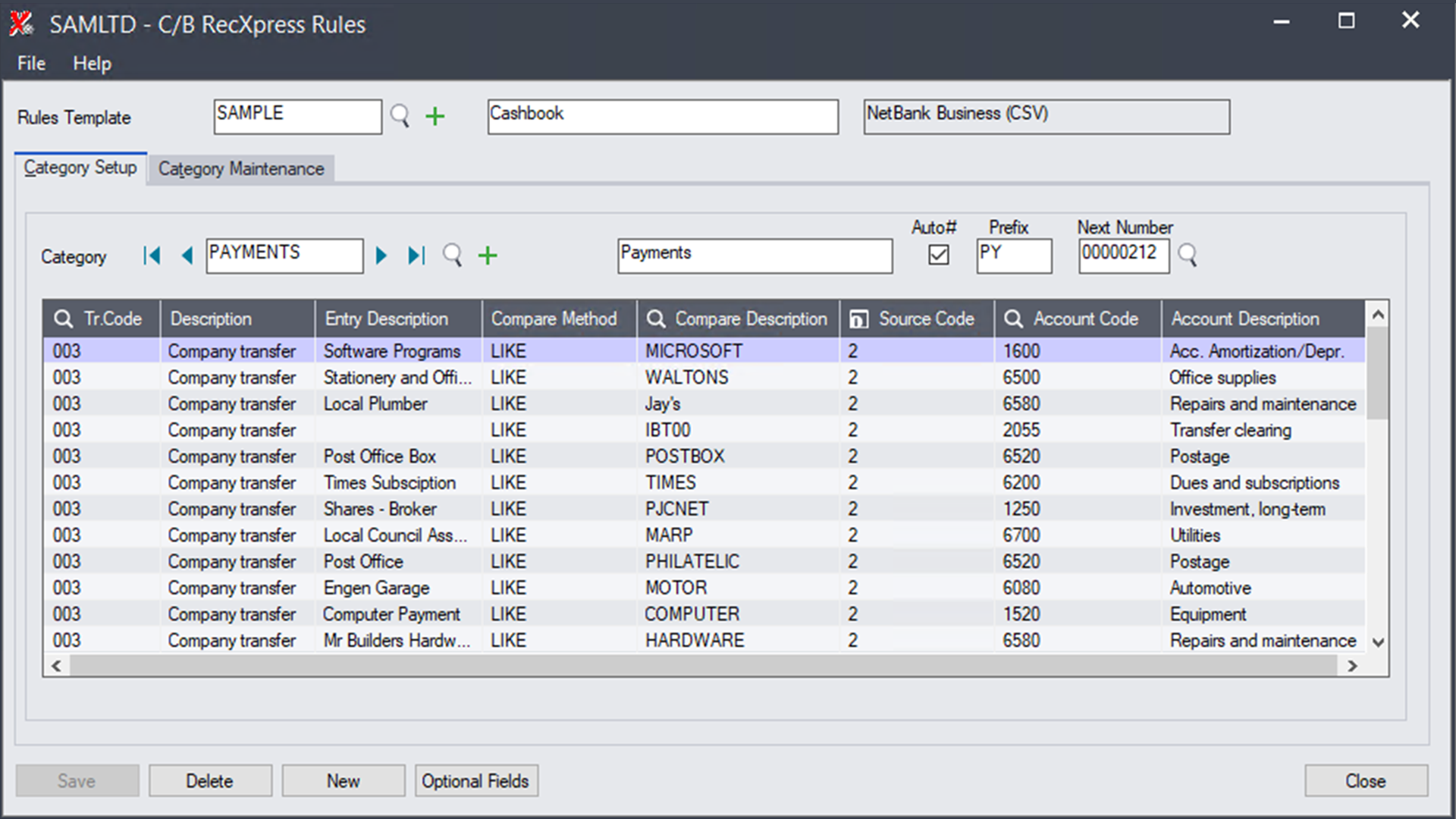
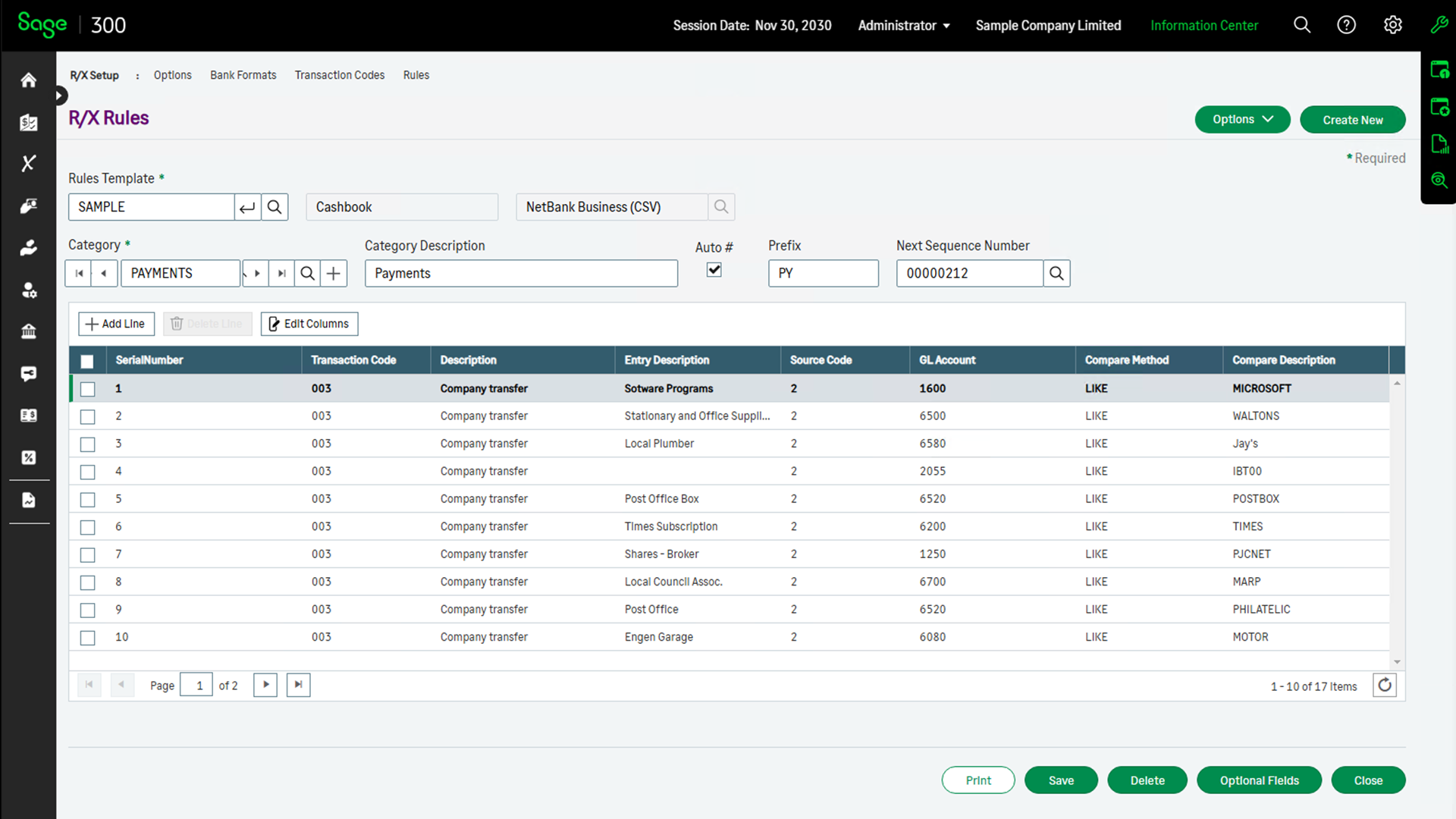
Templates can be created from predefined transaction codes.
Templates can be created for entries that are repeated each month in your bank statement. You are able to match entries in your bank statement and create default information for these entries:
- Entry Description
- Source Code
- Account Code
- Tax Group
- Sales or Purchases
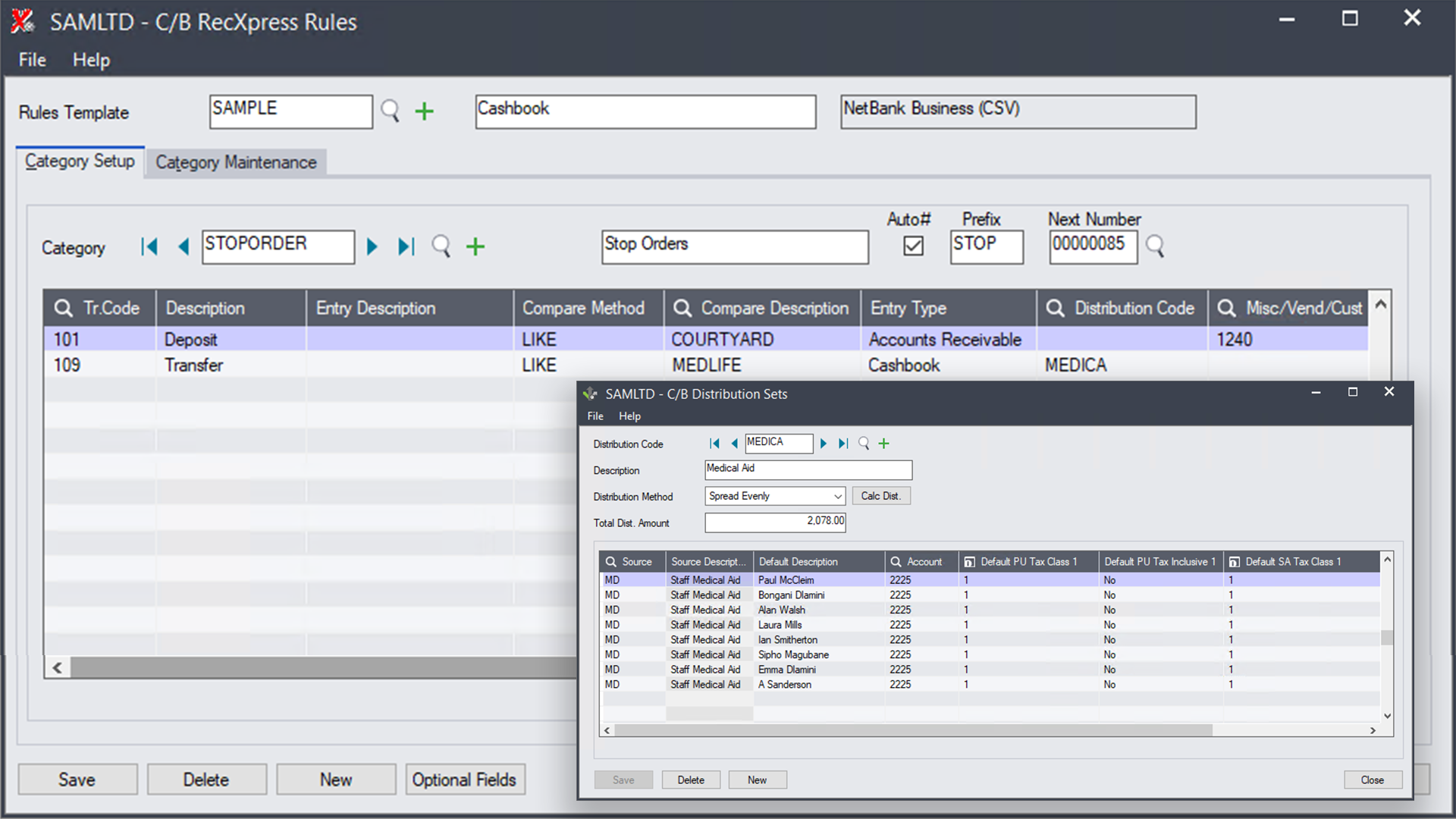
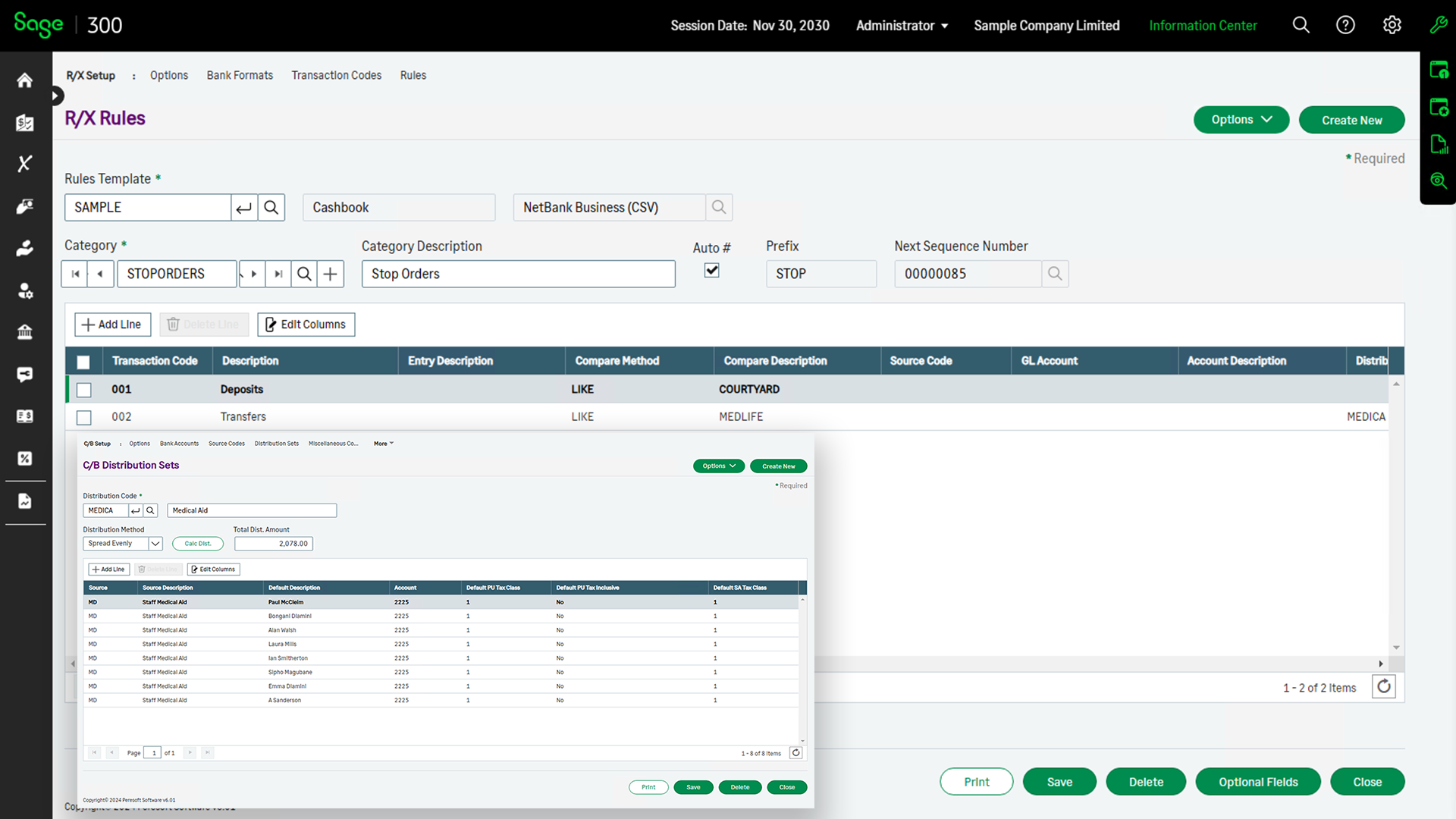
- Distribution Sets for Multiple Allocations
- Comments
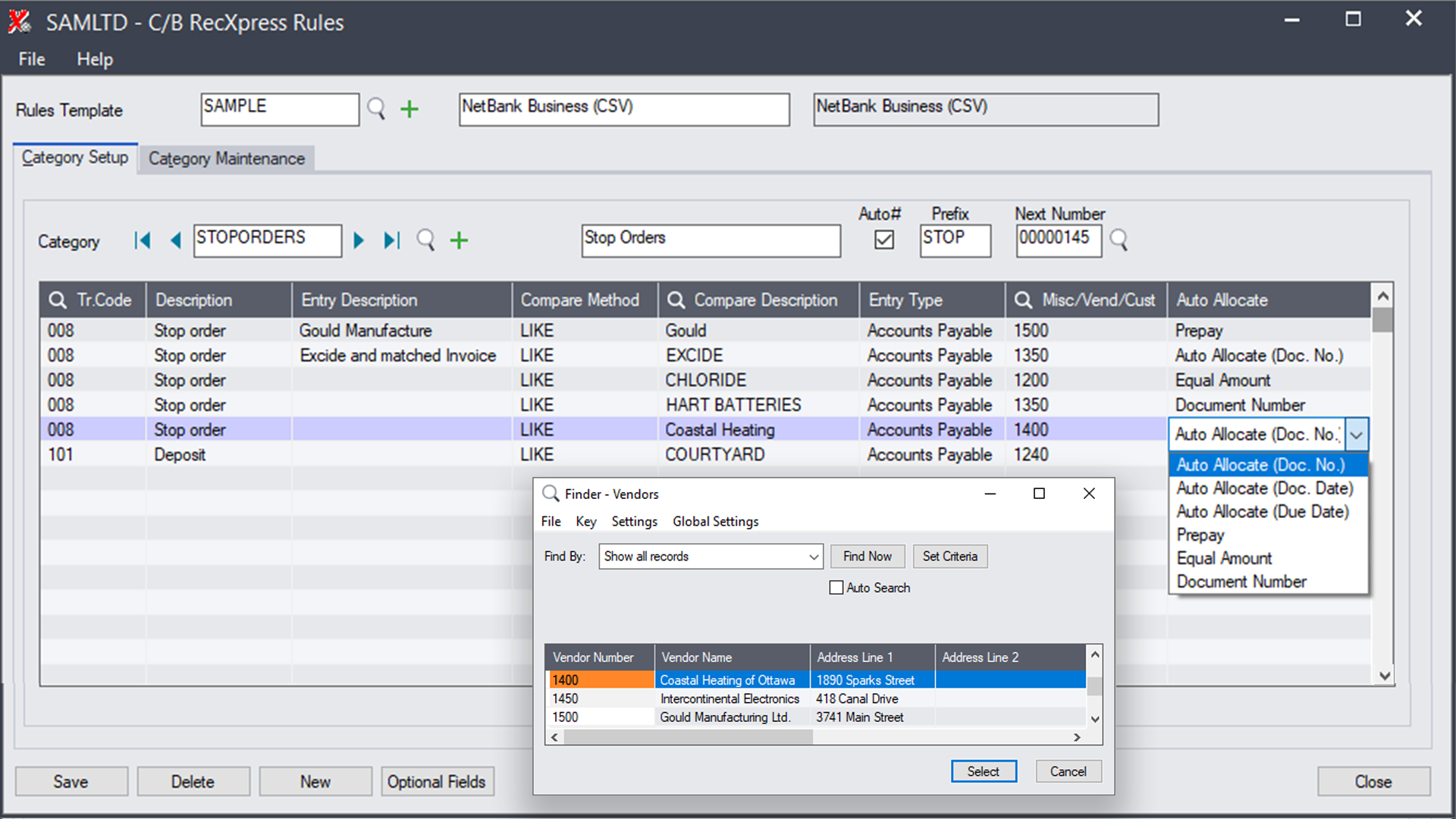
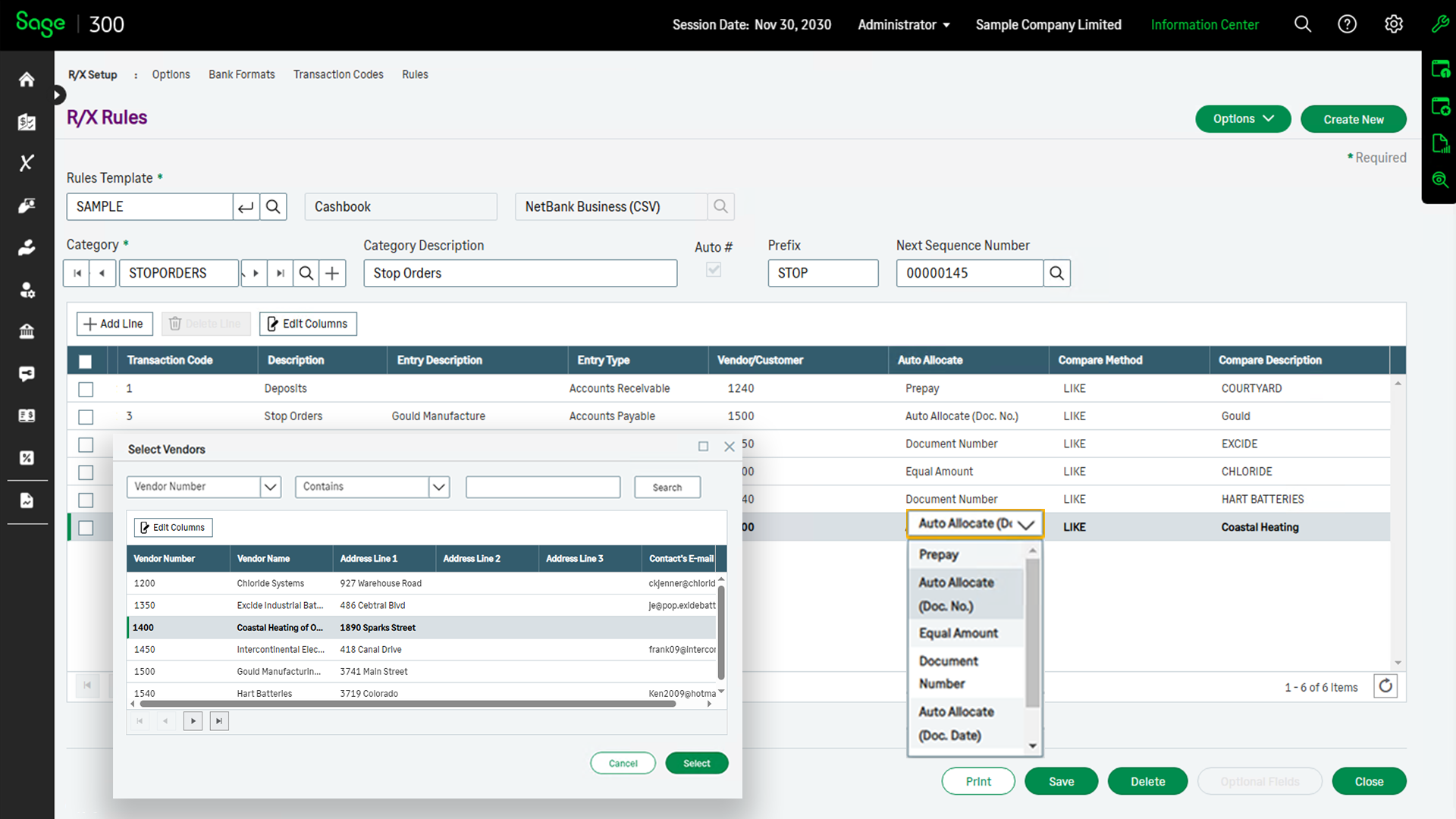
You can also match entries to your customer and vendor accounts. By matching the bank description, the entry can allocate the bank amount to:
- Prepay
- Oldest Balance
- Invoice Number
- Amount
RecXpress will create batches with these defaults that will be posted all the way through to Accounts Receivable and Accounts Payable.
Create multiple entries by using Cashbook's Distribution Sets. Entries like Salary information, RAs, Staff Medical Aids, etc. can be split into multiple details from one bank entry.
If the bank amount does not balance exactly to the distribution set, the difference will be added to an adjustment account defined by the user.
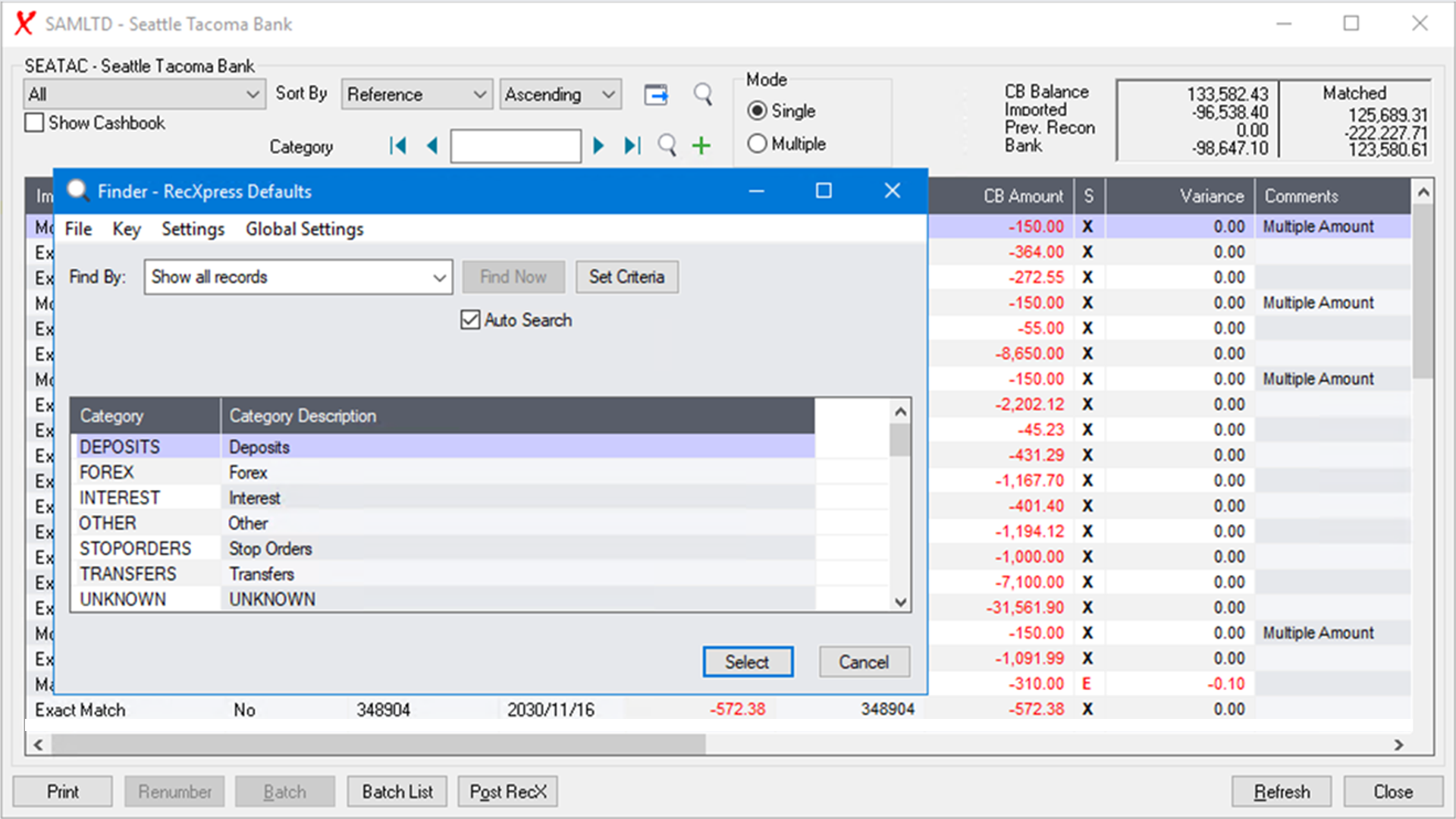
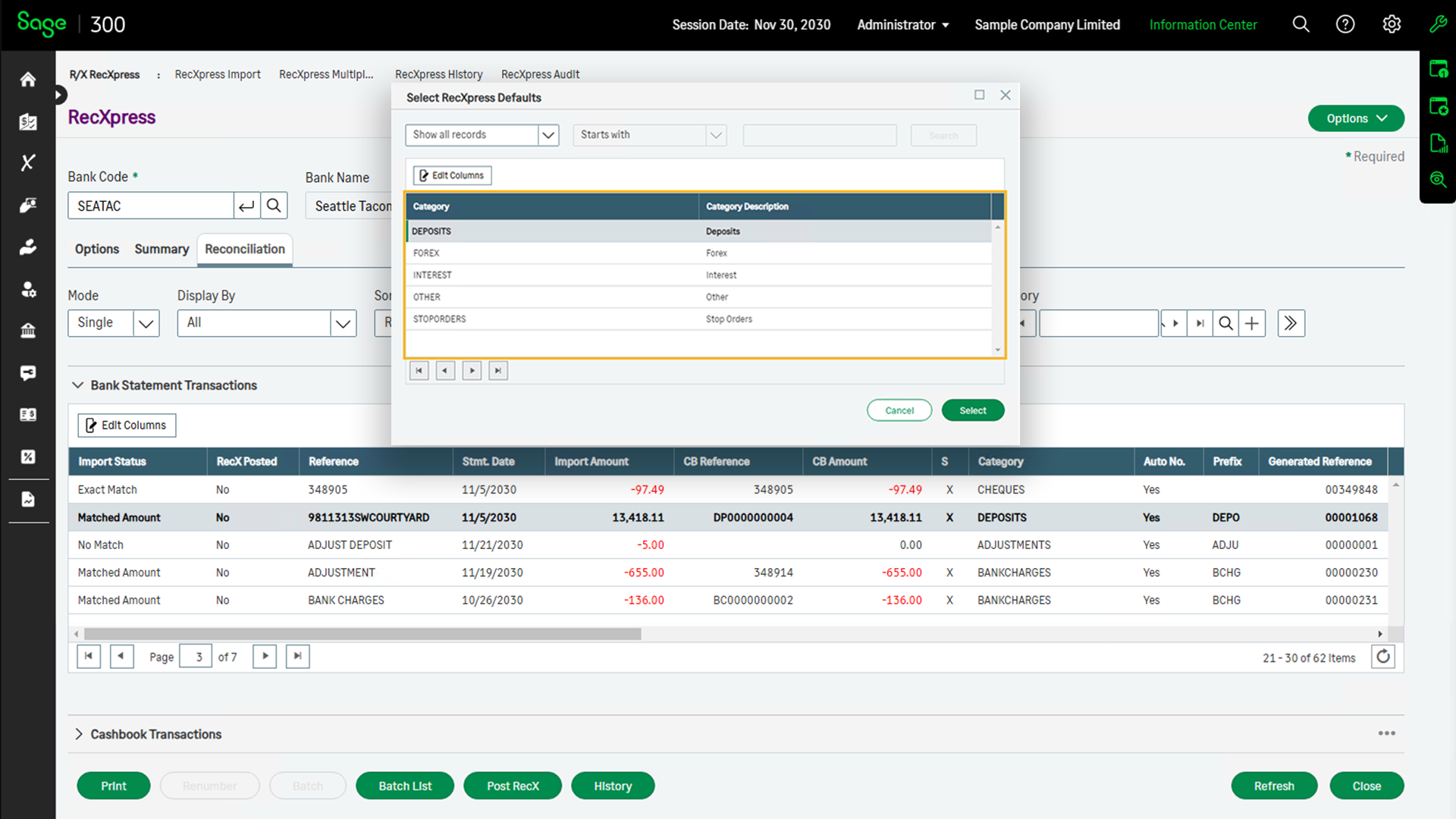
You can create unlimited categories. Each category can contain similar transaction types, e.g. BANKCHARGES, FOREX, etc.
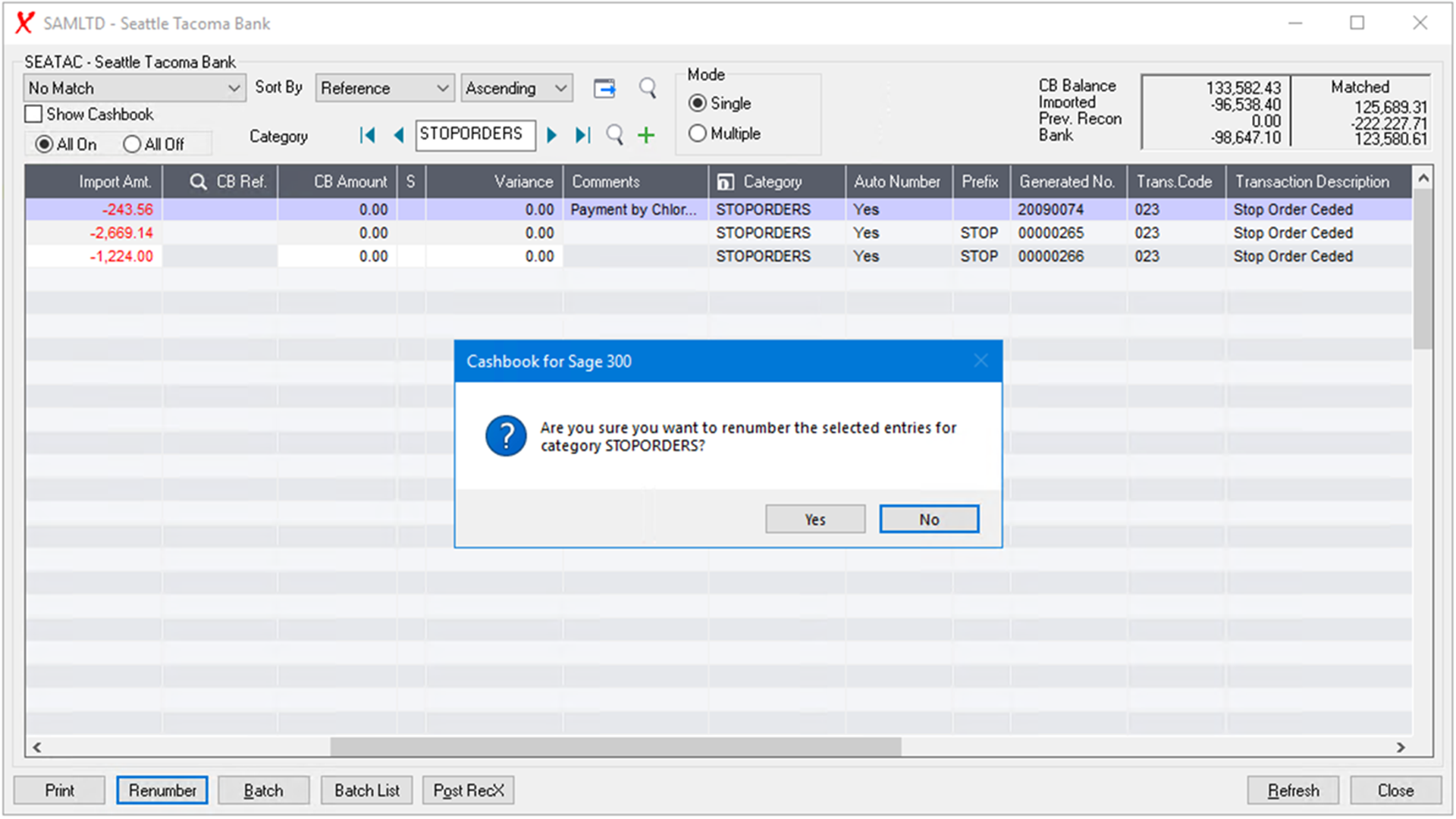
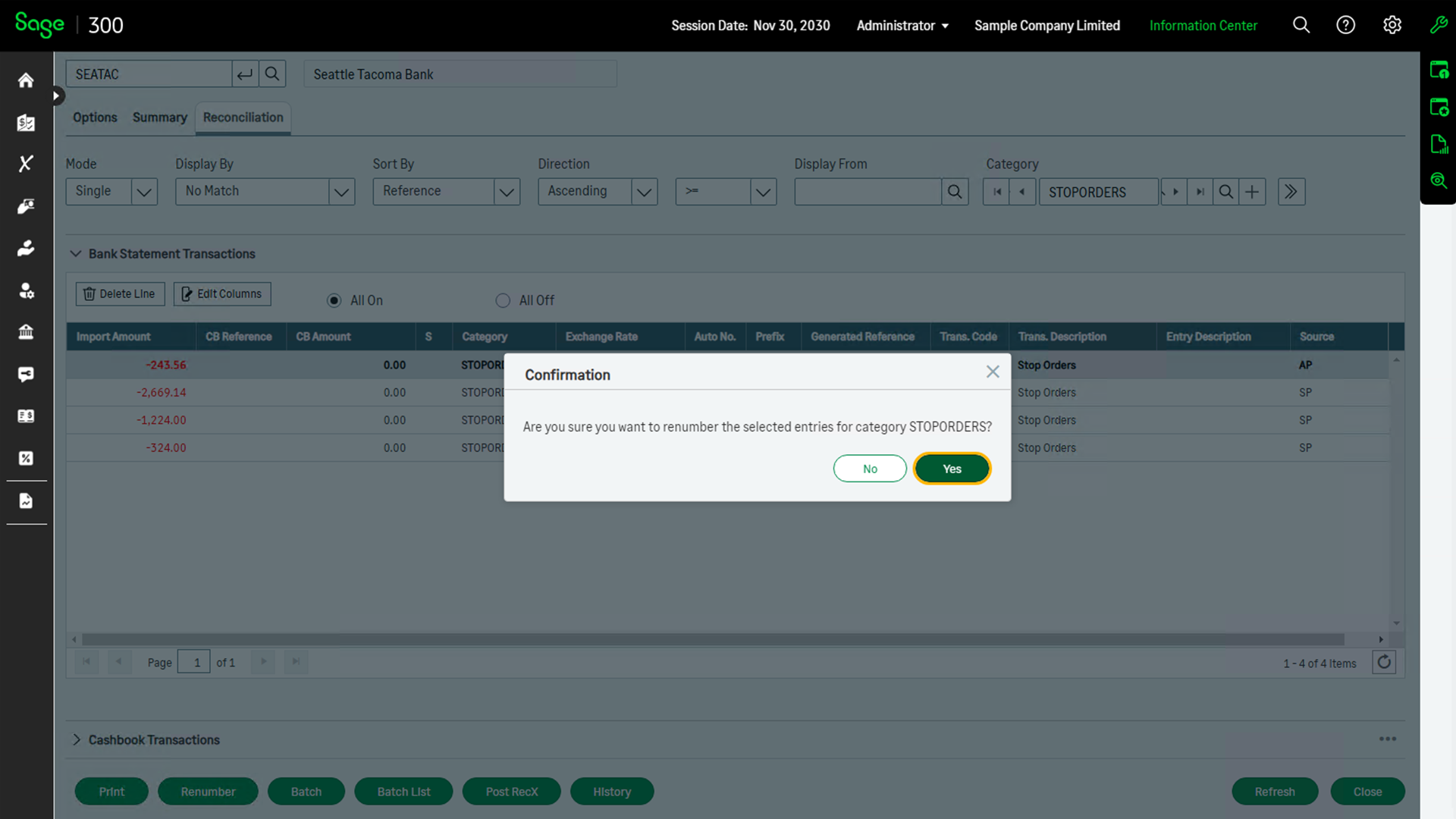
Renumbering sequences can be set up by category or by each entry within the category.
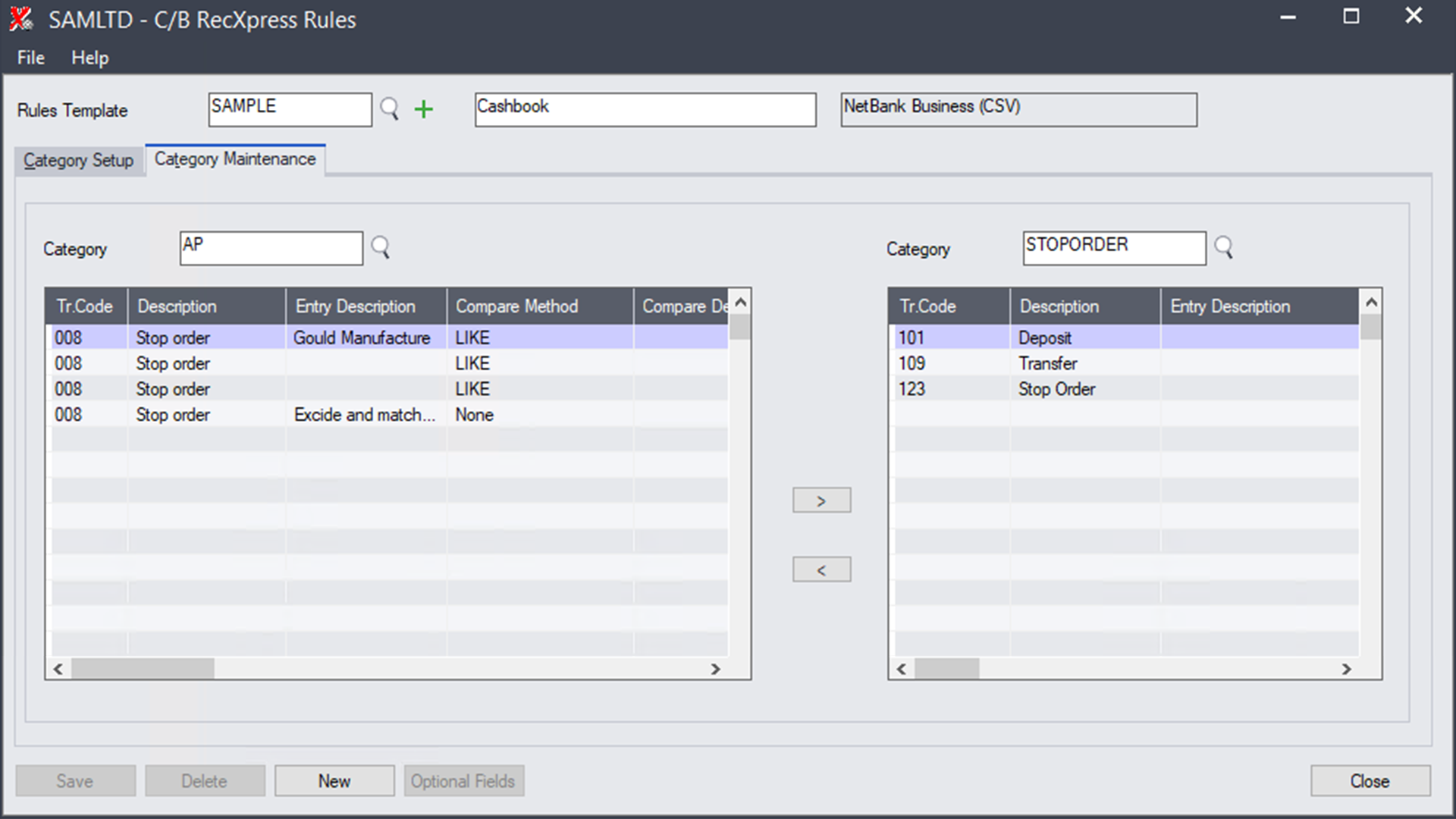
While setting up your categories, you can copy and move the entries between the different categories easily using Category Maintenance.
*Only available On Premise
What has always taken the longest period of time to perform? The Cashbook reconciliation, although extremely versatile, it can still take many hours to balance. By enhancing the import reconciliation function already in Cashbook, an automatic match of up to 99% can be obtained using RecXpress.
This process has been further improved by giving you the ability to 'remember' monthly entries and generate a variety of repetitive entries you need not re-enter each month. Customize your default template each month you do your reconciliation until such time almost all entries are automatically generated by RecXpress.
RecXpress Default Templates takes your bank reconciliation to another level.
Get predefined formats for most major banks in your country. Check out the latest list of bank imports available. This list is increasing all the time as more and more banks take advantage of this new feature and make their interface formats available to Peresoft.
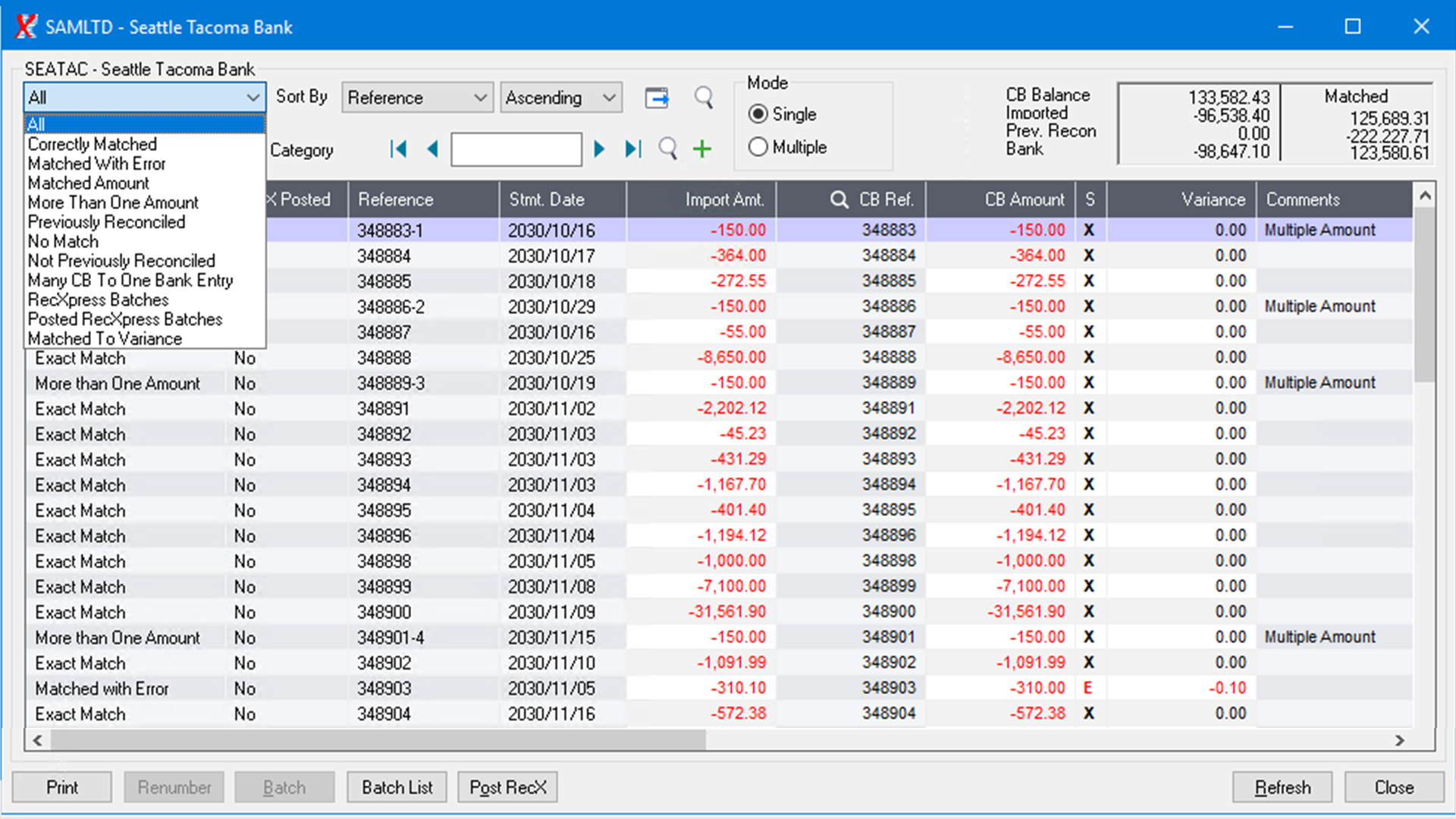
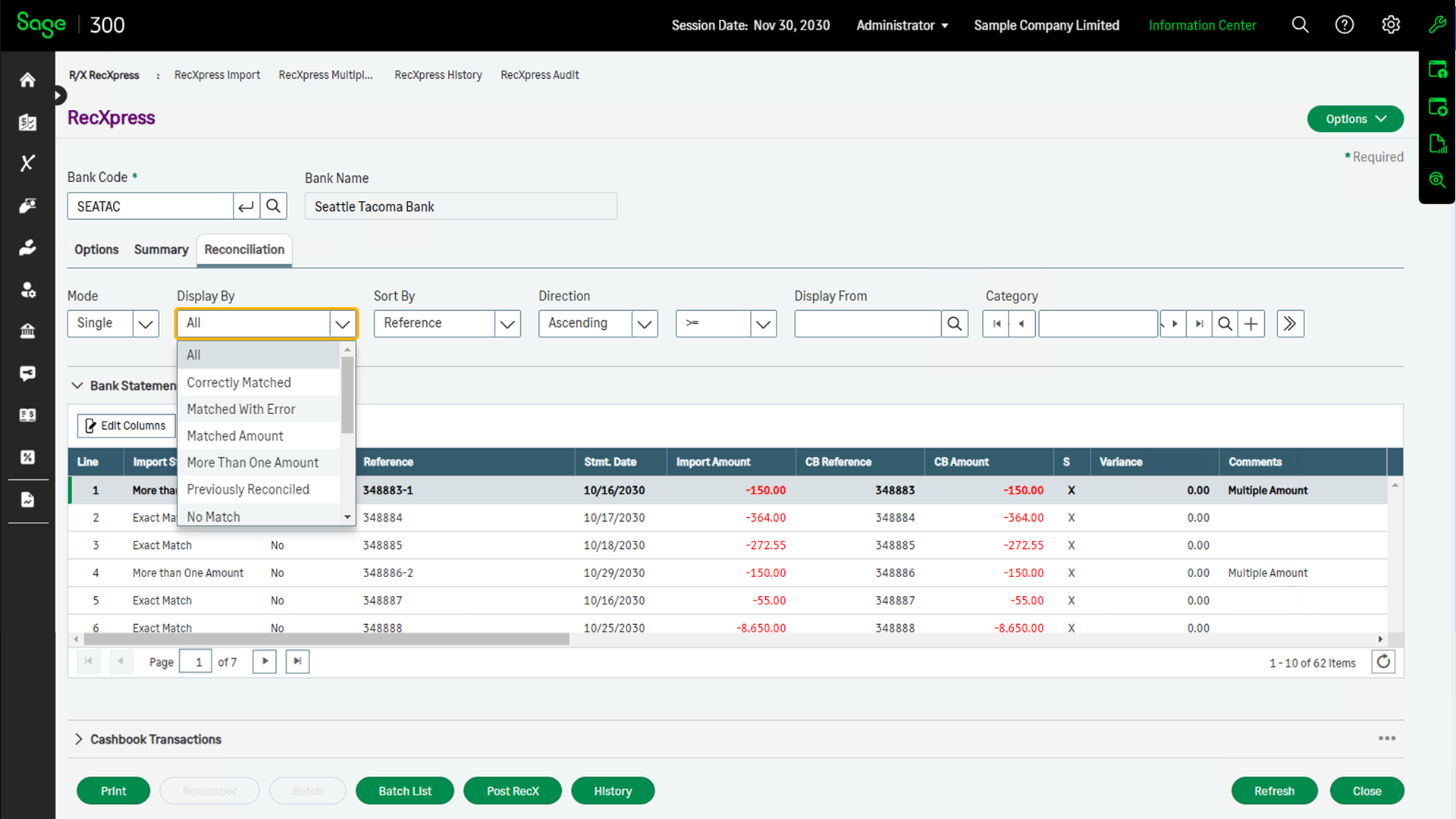
Once you have imported the transactions, RecXpress will match transactions based on the criteria below:
- All - all entries imported.
- Correctly Matched - entries where the reference number and amount of the imported bank statement entry were matched to a Cashbook entry.
- Matched with Error - entries where the reference number was matched to a Cashbook reference number but the amount is different.
- Matched Amount - the reference number was not matched but the amount of the two entries are the same.
- More than One Amount - matched multiple entries with the same amount.
- Previously Reconciled - the entry was previously reconciled.
- No Match - neither the reference number nor the amount are matched.
- Many CB To One Bank Entry - more than one Cashbook entry is matched to one bank statement entry.
- Many Bank To One CB Entry - more than one imported bank statement entry is matched to one Cashbook entry.
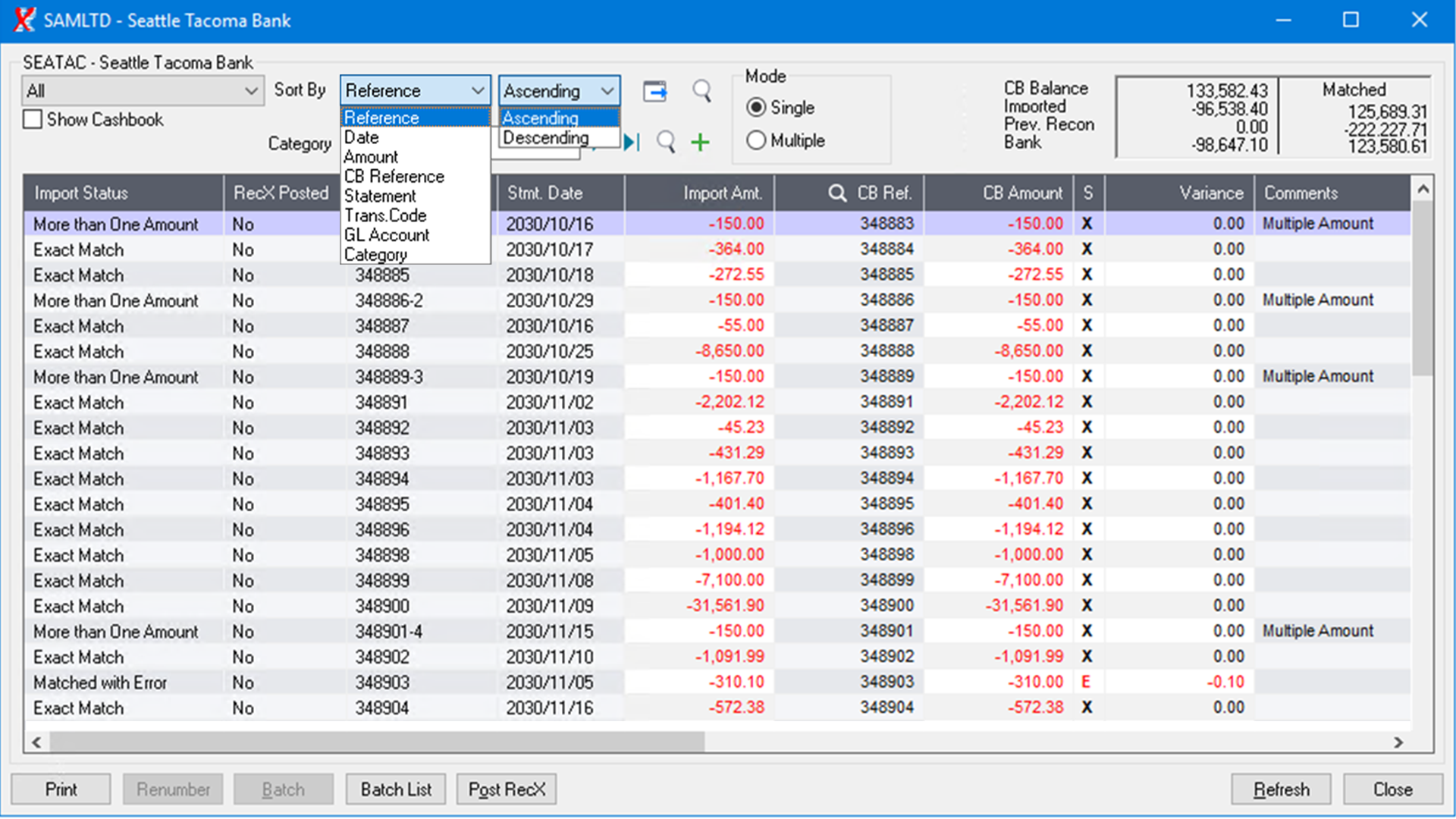
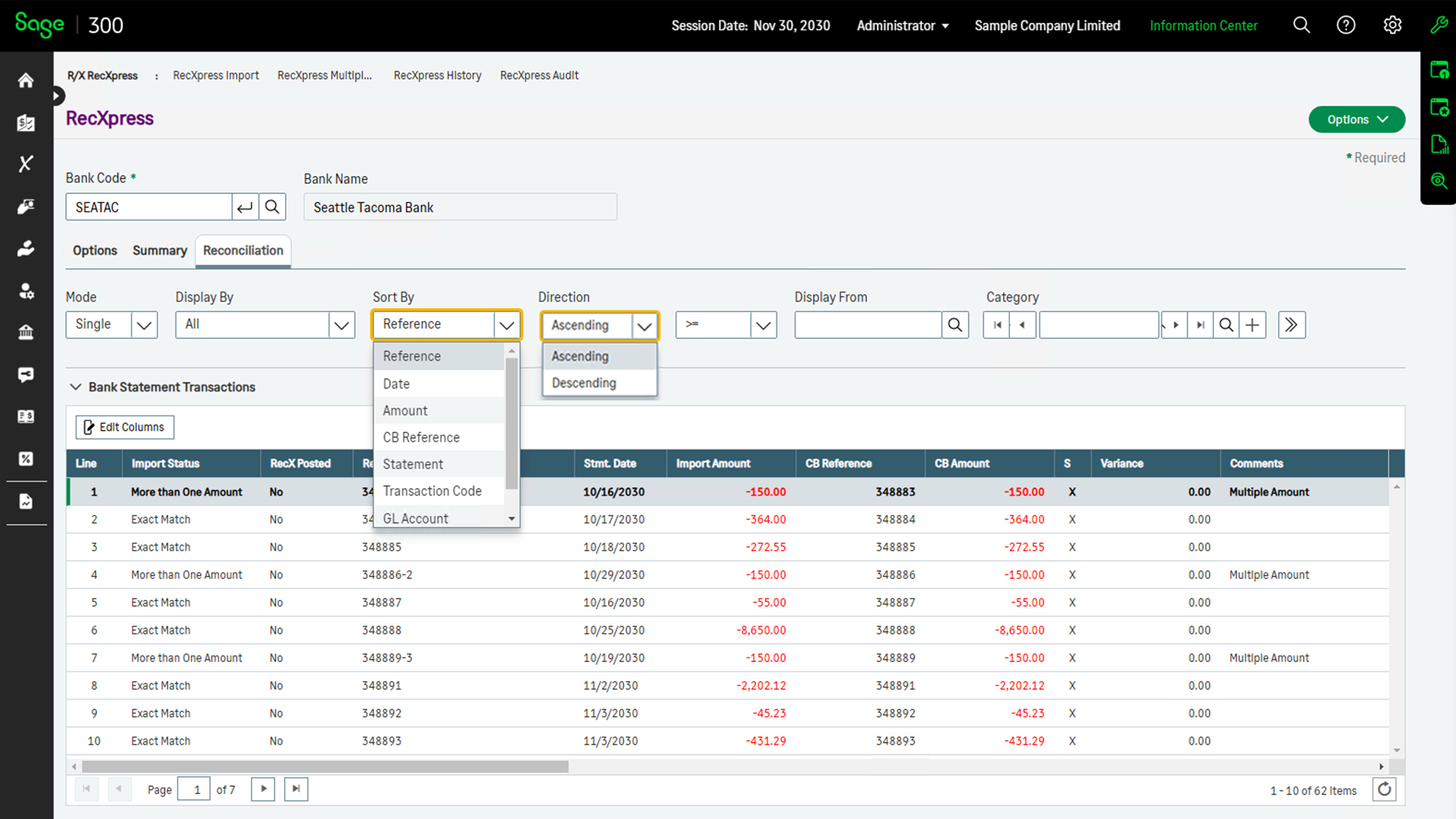
The imported bank statement data in the RecXpress reconciliation can be displayed in the following sort sequences and in Ascending or Descending Order:
- Bank Statement Reference
- Date
- Amount
- Cashbook Reference
- Bank Statement Page Number
- Transaction Code
- General Ledger Account
- Category
Display only the transactions you want to see by selecting the category of transaction codes to display, e.g. cheques, deposits, charges, etc.
When importing Bank Statements, certain transaction types (Bank Charges, Deposits) often have the same reference numbers. RecXpress will generate a sequence of unique reference numbers for different transaction types, saving you the time of editing duplicate reference numbers manually.
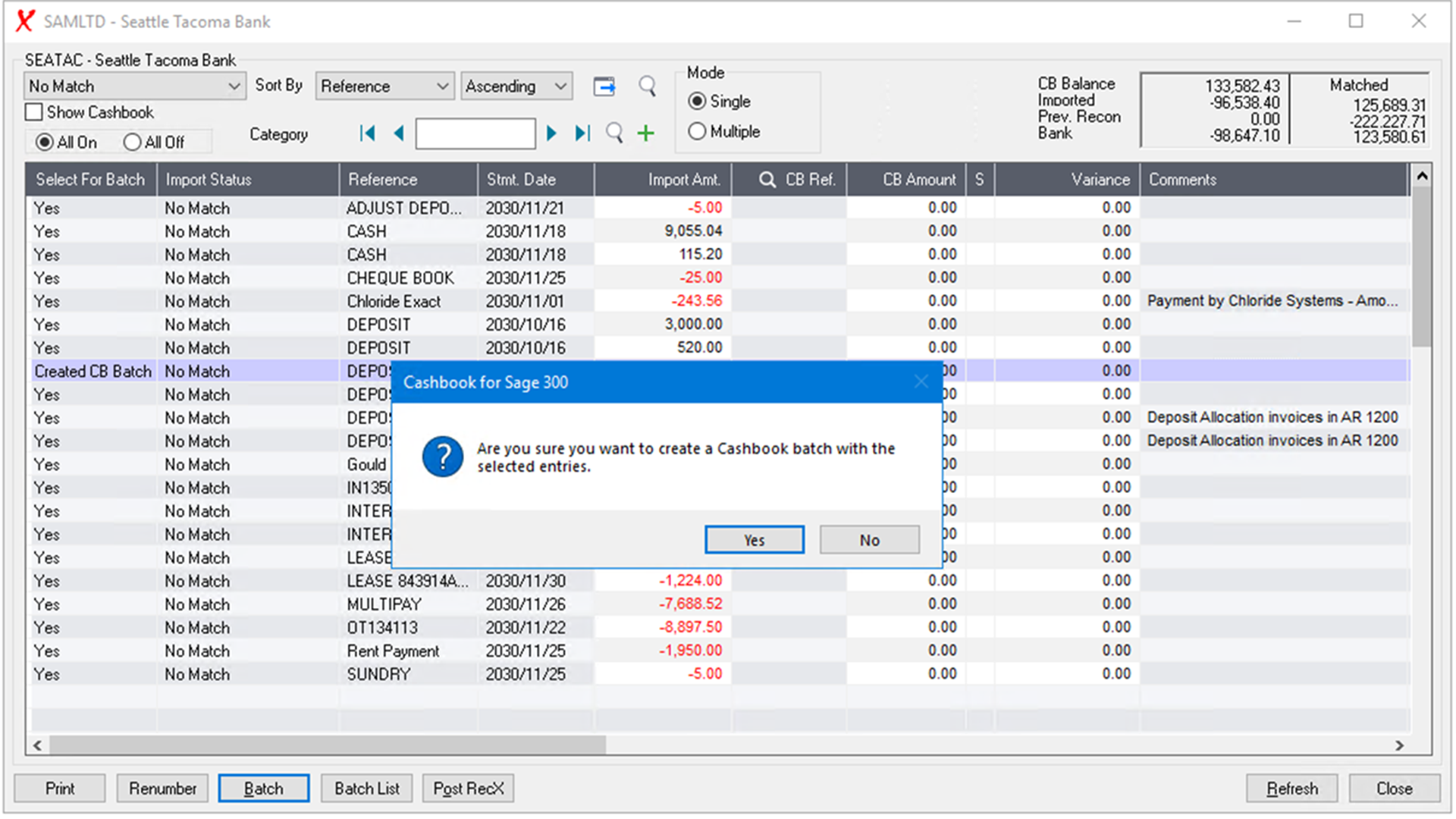
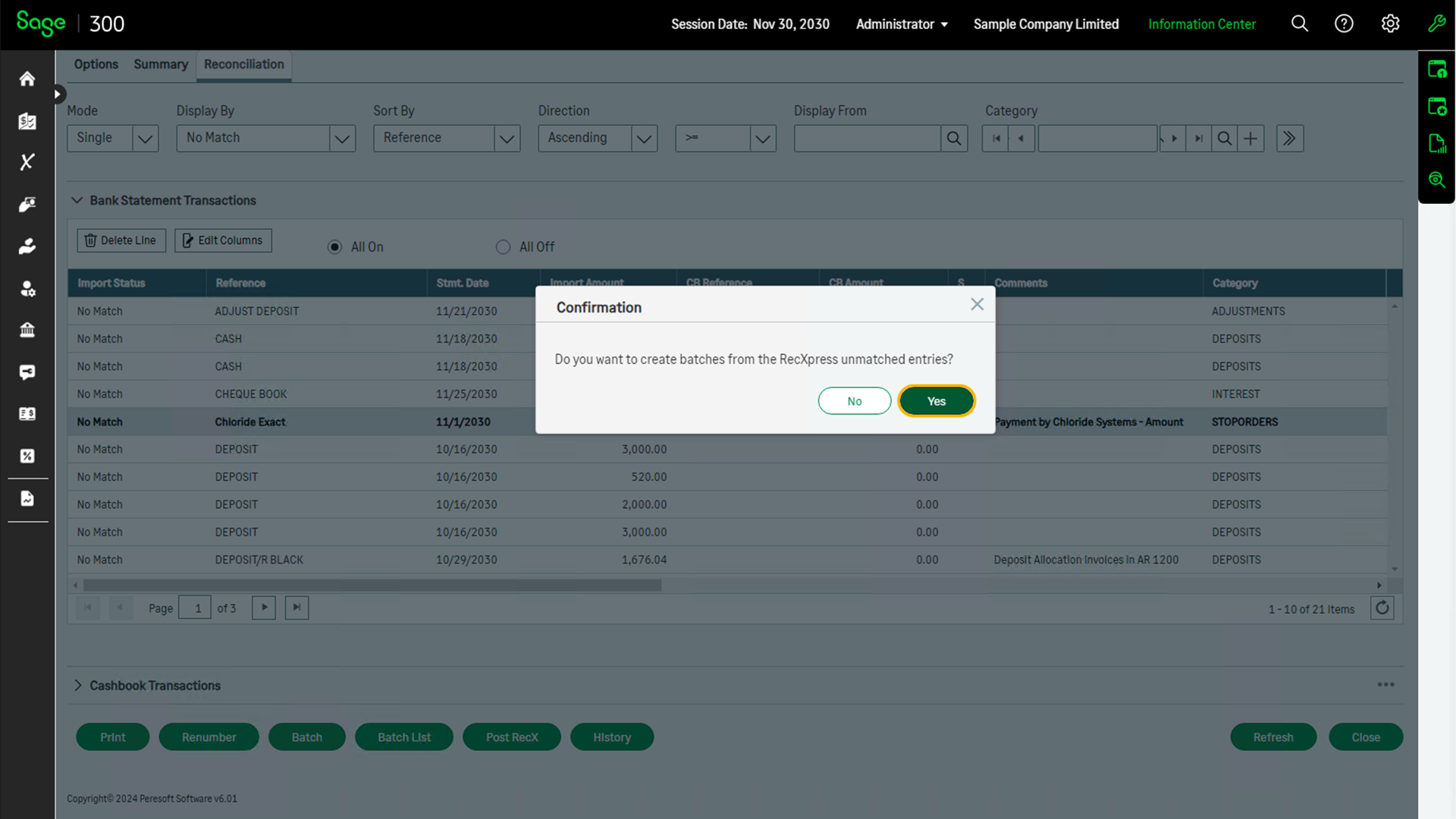
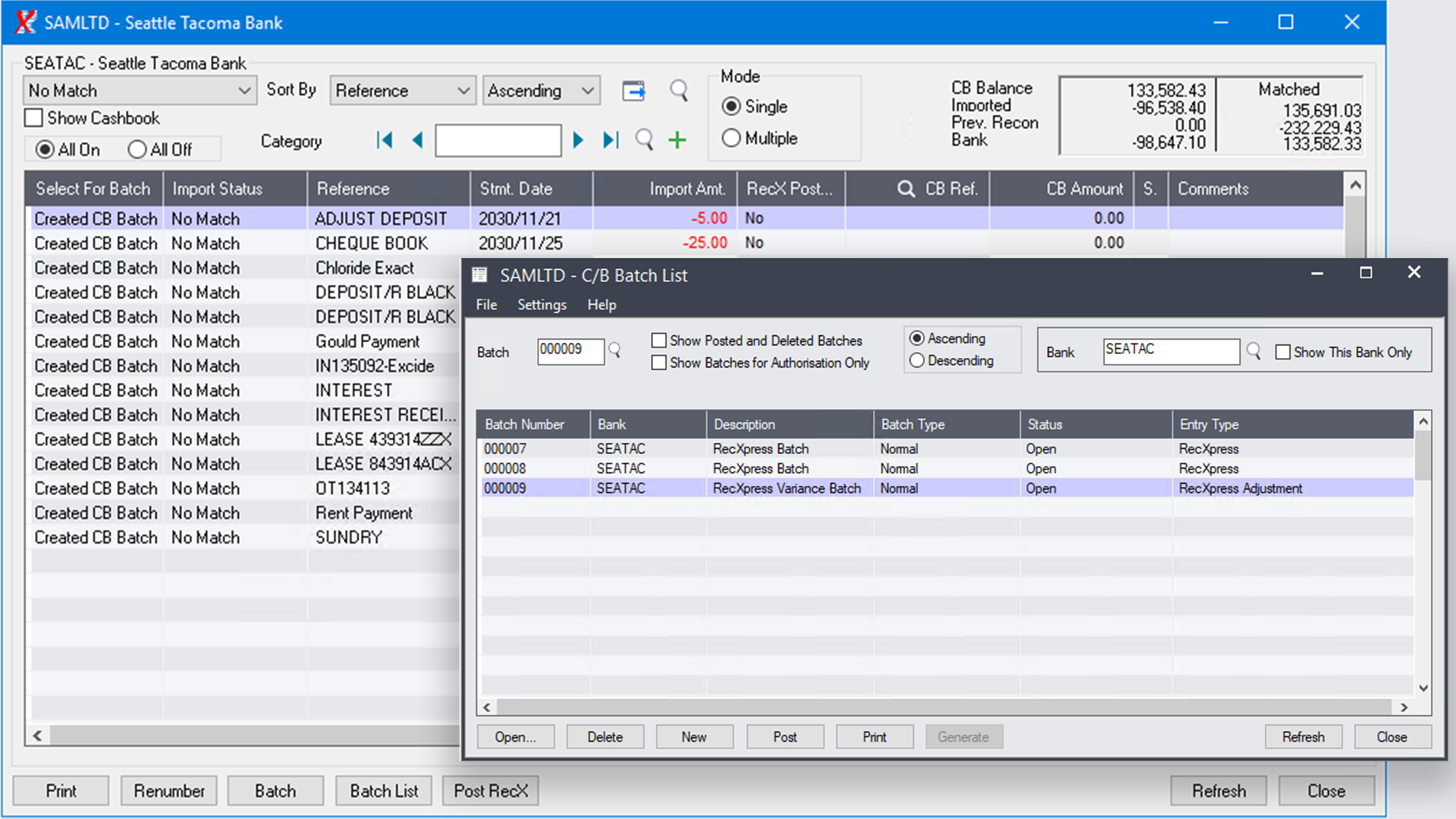
RecXpress not only handles matched transactions but also unmatched transactions through a Batch Generation Feature. Your unmatched entries can be sorted by the default transaction code category, e.g. bank charges, interest, forex, etc., and separate batches can then be generated. If the entry default information is not automatically assigned to the entry by the Default Code, you can manually enter the fields required for batch generation.
RecXpress can also generate a batch from the variance amounts when selecting to display 'Matched with Error'.
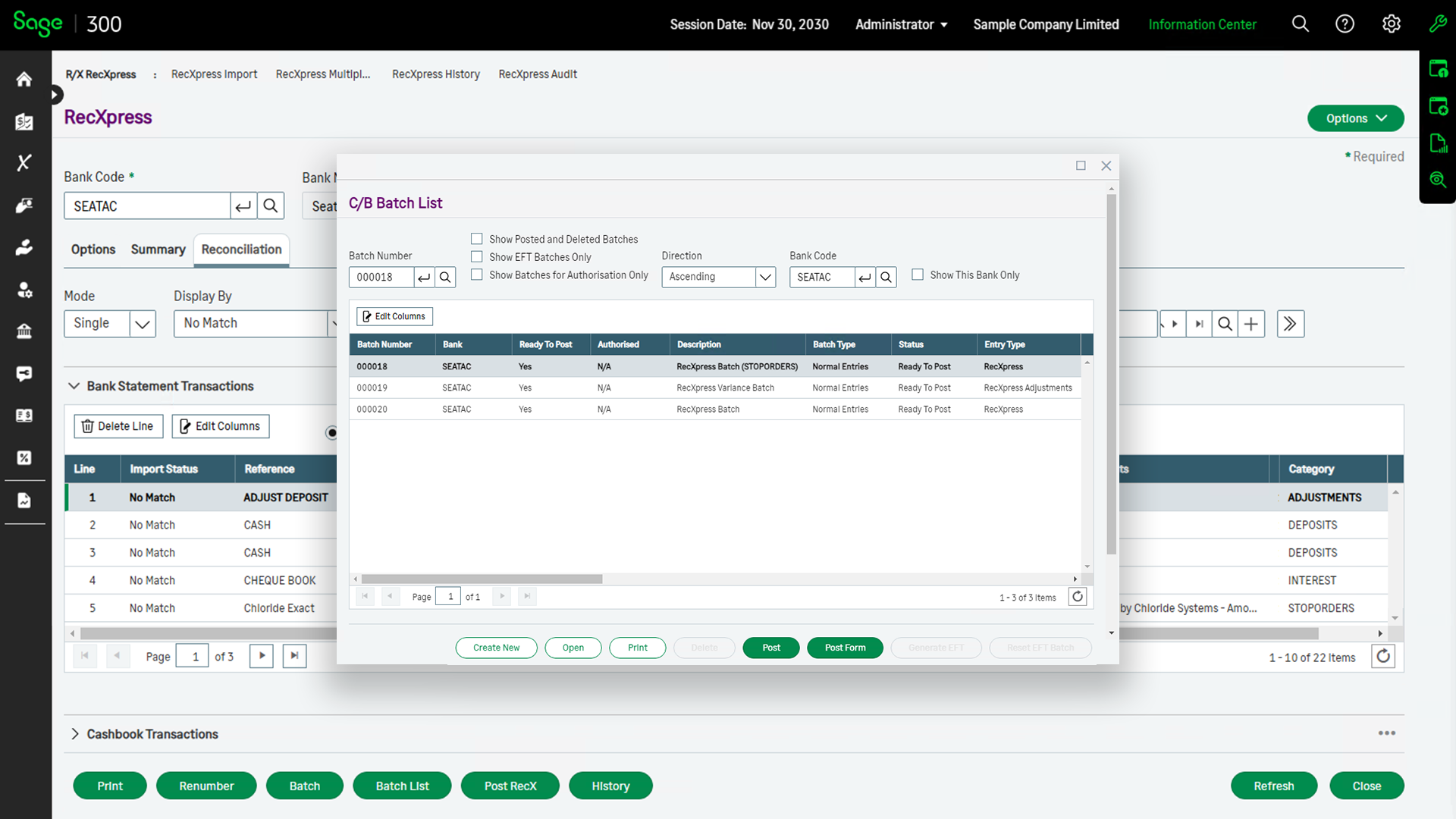
Post all batches generated by RecXpress to complete the matching process.
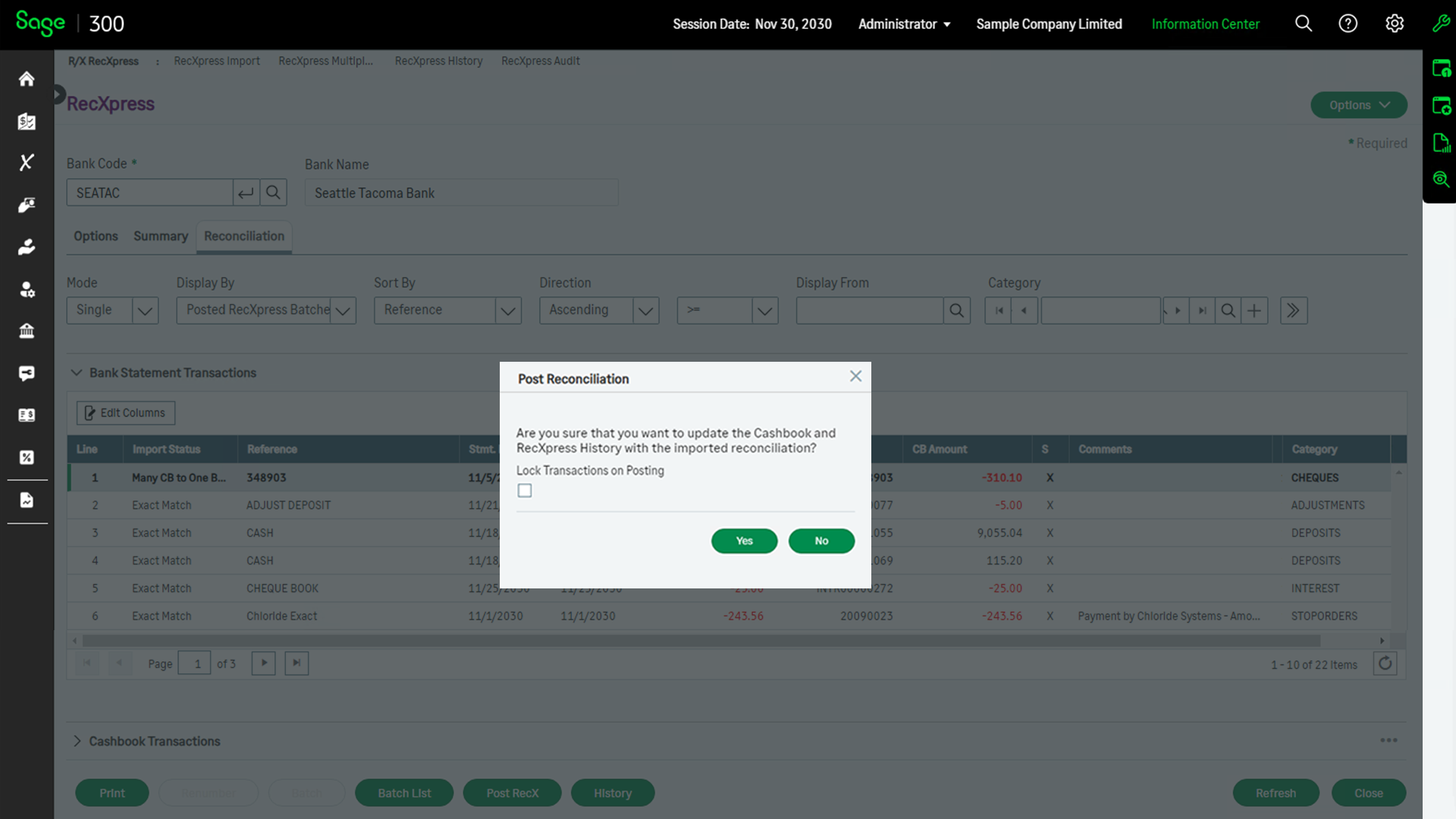
Post the RecXpress reconciliation to reconcile all the posted and matched entries, completing the process to match the balances correctly in Cashbook with your bank statement.
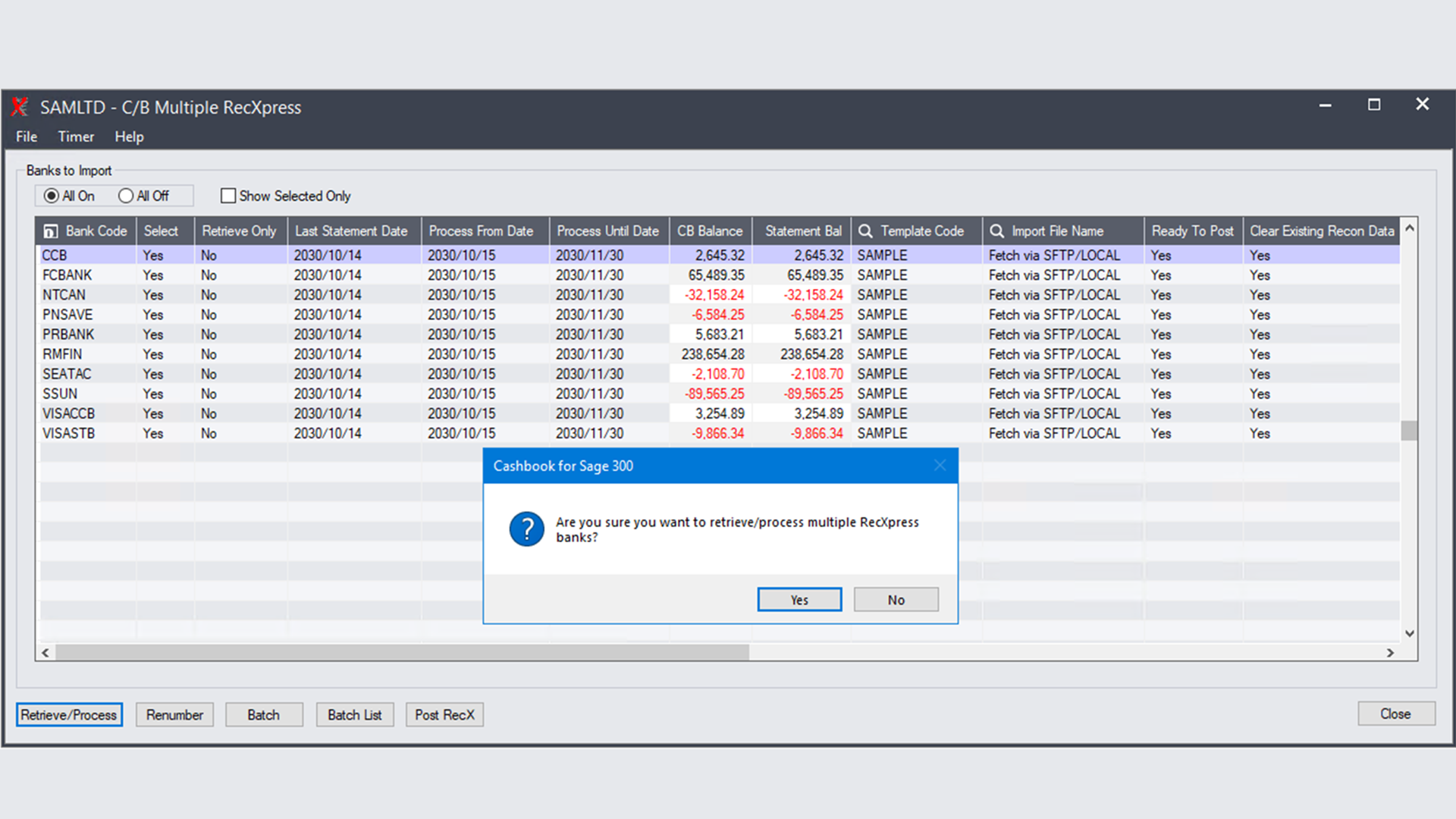
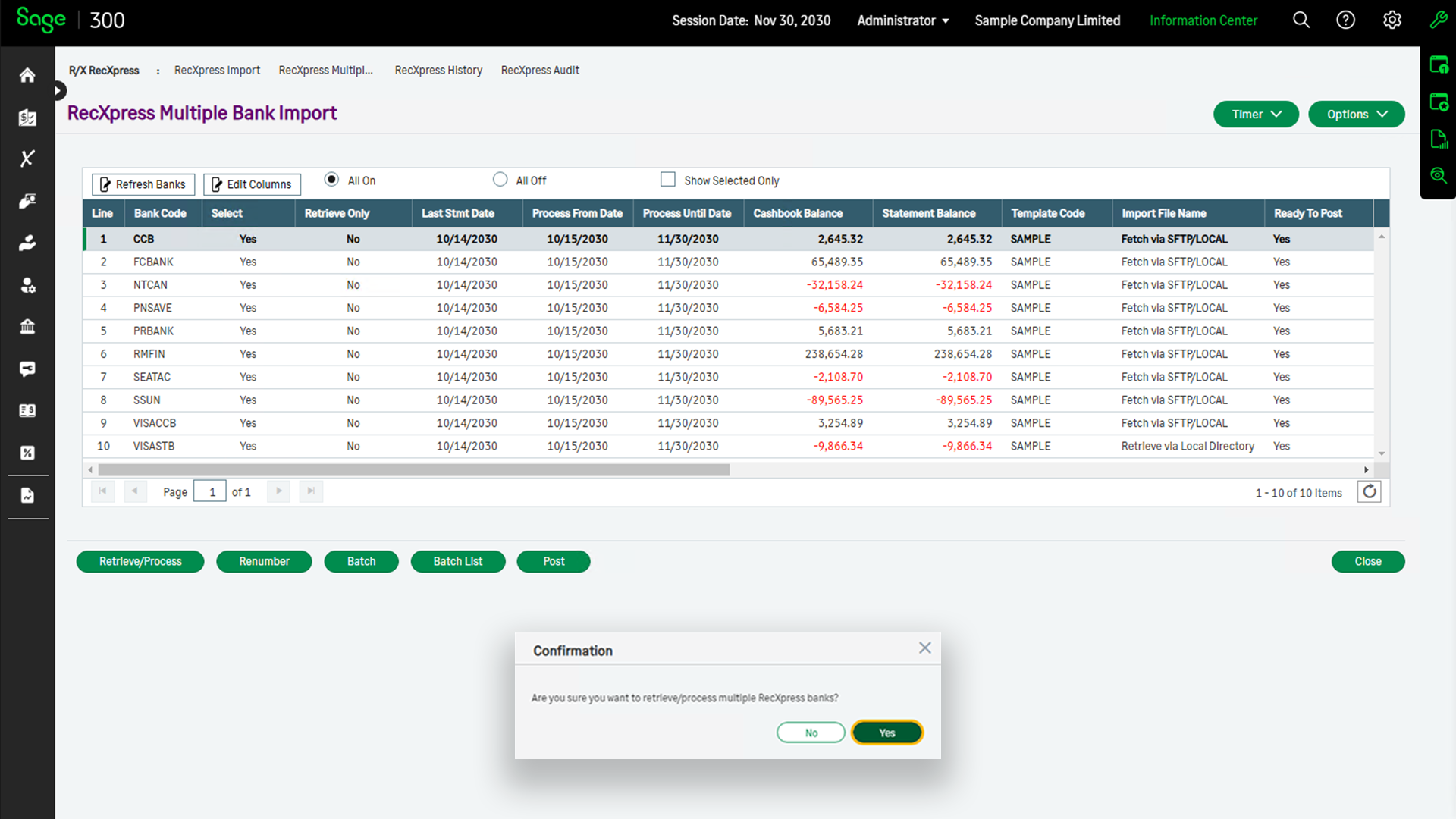
Increase efficiency by running multiple RecXpress sessions simultaneously with the added convenience of timer automation. Set up and manage batch retrievals at scheduled intervals for uninterrupted processing.
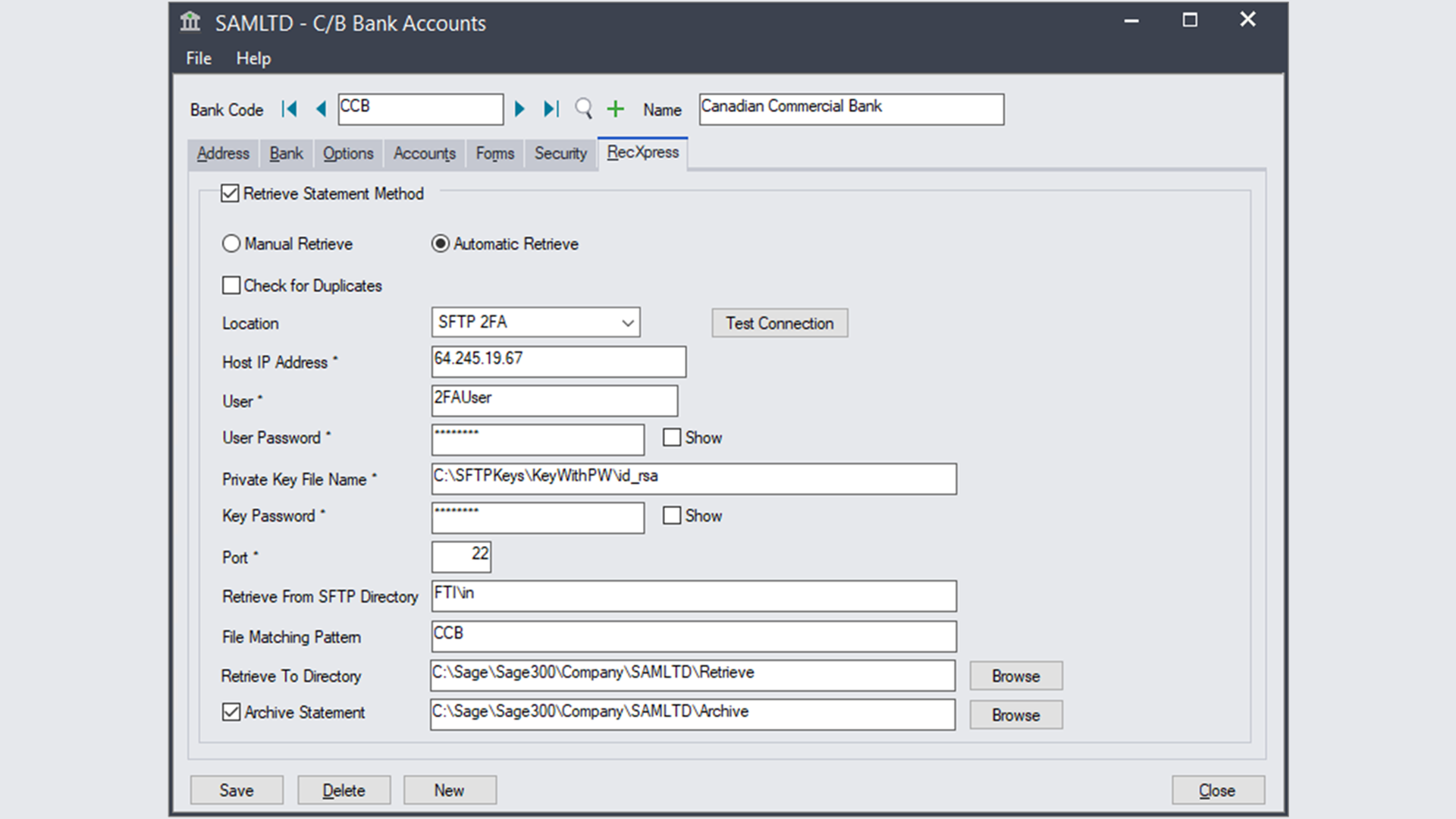
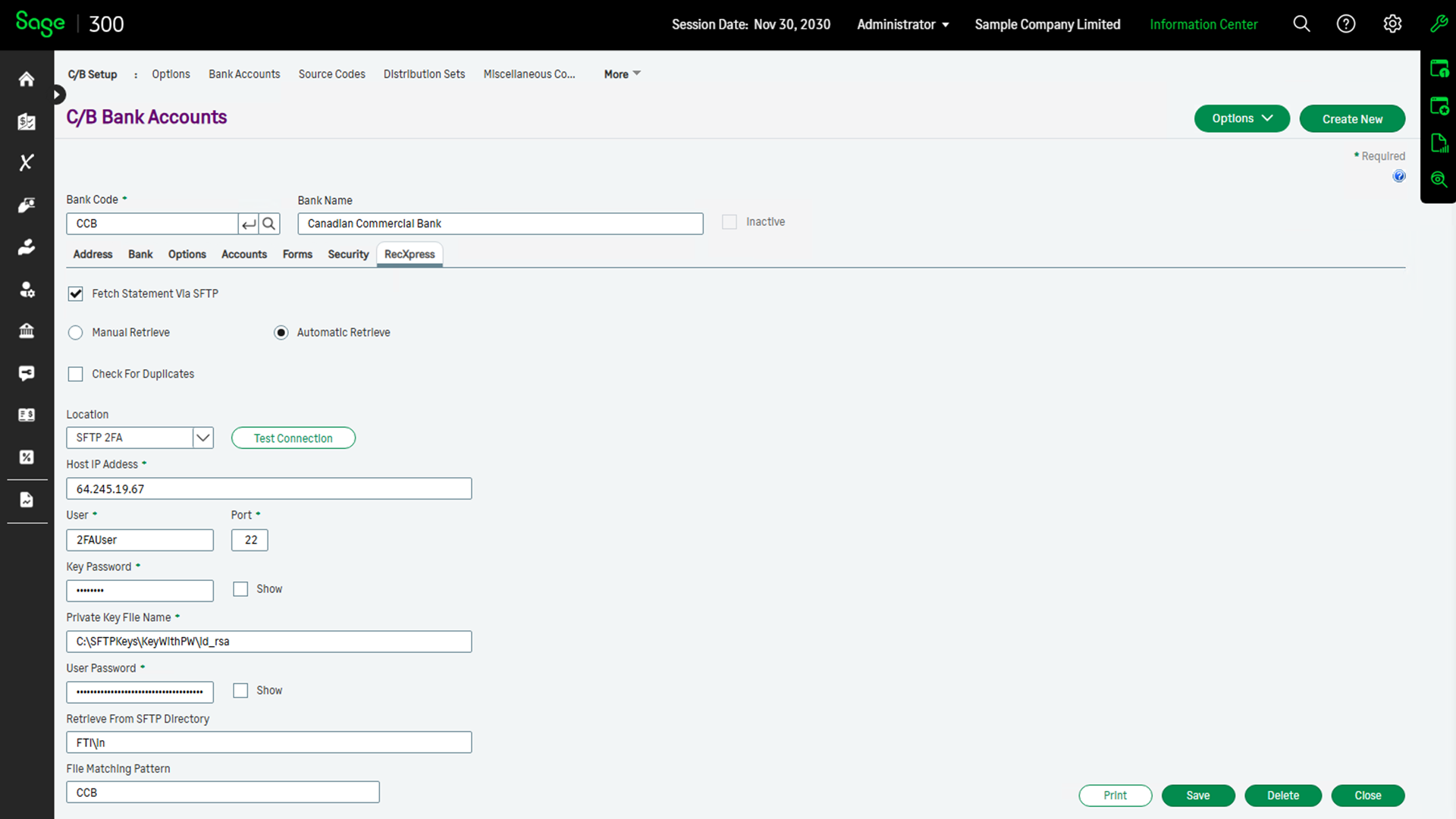
Streamline your bank statement retrieval process with secure SFTP integration. This feature enables encrypted and automated downloads directly into RecXpress, ensuring data security and efficiency.